Stop paying tech giants just to see your own photos. Derustify is the professional-grade restorer that runs 100% on your hardware. Use the app for free, or buy once for unlimited high-end results.


Most apps rent you your own photos. We give you the tools to own them.
Remove decades of digital 'rust' and film grain while preserving fine details. Our adaptive AI ensures a clean, natural look without the 'waxed' effect.
Breathe life into black-and-white family history. Our AI understands your photos and adds colors that look real, not artificial.
Erase folds, creases, and physical damage from scanned photos. Our inpainting engine restores missing areas while intelligently cloning the original film grain.
Advanced detection and enhancement bring back clarity to faces that are blurry, faded, or low-resolution, restoring lost expressions with professional precision.
Turn your phone into a high-end flatbed scanner. Detect photo edges automatically and correct lens distortion for perfect, digital-first archival.
Take full control with 'Spectral Weaver' wavelet tools. Manually adjust structural clarity, detail recovery, and film grain for a custom, professional finish.
Don't do it one-by-one. Drop in a folder of 500 photos and let the app work. Desktop performance for pro-grade speed on all your archives.
Your family photos never leave your device. We don't have servers. We don't have accounts. Your moments stay exactly where they belong: with you.
Built with high-performance, optimized AI that runs directly on your local hardware. No long cloud uploads or processing queues—it works perfectly even on normal, everyday devices.
Drag the slider to see how we peel back the years from these historic moments.
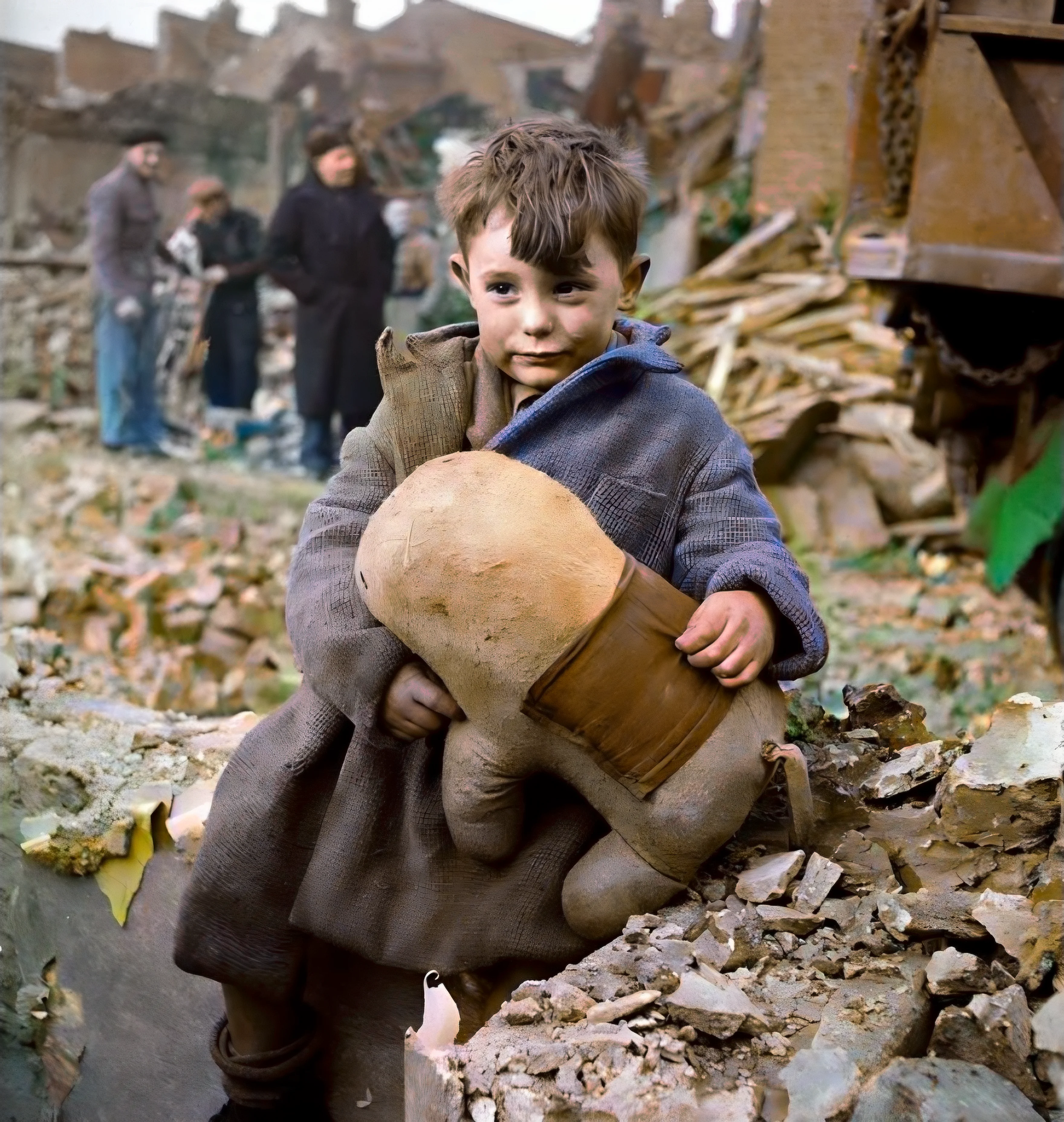

Preserving the depth of historical struggle in color.


Professional-grade removal of physical damage and paper tears.


Iconic Dust Bowl portraits, restored for the next century.


Restoring the grit and detail of 20th century life.


Louis Armstrong's 1946 dressing room, restored in vivid detail.


Bringing 1931 Broadway back in vivid, accurate color.
See exactly what you get when you upgrade to Derustify+.
| Features | Free Version | Derustify+ PRO |
|---|---|---|
| Premium AI Models | ||
| Ultra-Sharp Face Restore | ||
| Export Resolution | Capped (1080px) | Full Resolution (4K+) |
| Batch Processing | 1 image at a time | Up to 20 (Mobile) / 500 (Windows) |
| Manual Pro Controls | ||
| Custom Output (JPEG/PNG) |
Everything you need to know about how we're different from the giants.
Because you shouldn't have to 'rent' software to look at your own photos. Modern app companies rely on subscriptions to cover their expensive cloud servers. Since Derustify runs entirely locally on your device, we don't have those server costs to pass on to you. You buy it once, and you own it forever. Period.
Yes. 100%. We physically cannot see your photos, and we don't even require an account. All the AI magic happens directly inside your device's memory. No internet connection is ever required to restore your images, meaning your family history stays exactly where it belongs: with you.
The free version uses the exact same powerful AI models as the Pro version to process your images—with no watermarks ever. To keep the project sustainable, we limit the free tier to standard HD (1080p) exports and process photos one-by-one. Upgrading to Pro unlocks massive full-resolution 4K exports, opens up our manual pro tools, and lets you batch-process entire albums at once.
Not at all! Derustify is highly optimized to run perfectly fine on everyday phones and normal laptops. Because the AI is bundled directly into the app, your device does the processing itself. The only thing affected by your device's performance is speed: a brand-new phone might restore a photo in 10 seconds, while an older device might take a minute. However, very old devices may not be able to run the AI models at all. We recommend at least 4GB of RAM for a smooth experience.
Think of Derustify as a streamlined, lightweight version of professional photo editing software. The AI automatically does the heavy lifting for you—removing noise, colorizing, and healing scratches. If you want more control, upgrading to Pro unlocks our 'Spectral Weaver' tools, giving you sliders to manually adjust fine details, film grain, and image structure, plus a retouching brush for the ultimate custom finish.
Not always. The AI doesn't definitively know what color your grandfather's specific tie was in 1945. Instead, it makes a highly educated guess based on training from millions of photos, ensuring things like skin tones, skies, and foliage look incredibly realistic and natural. While it often is correct, some historical inaccuracies in clothing or car colors can occur!
AI is incredibly powerful, but some severely damaged photos need a little extra help! If a photo doesn't look quite right, try turning off certain features and running the steps individually, or try processing the image a second time for extra clarity. If you really want that perfect finish, Derustify+ (Pro) unlocks manual retouching and cloning tools so you can personally clean up stubborn scratches and fine-tune the final result.
Both the mobile and Windows apps are tailored for their respective platforms, offering professional-grade AI restoration. Both versions offer a free tier to get you started, with a one-time Derustify+ (Pro) unlock available for those who want maximum quality and control. The Windows version utilizes your PC's hardware to run even larger AI models, supporting massive batch processing and stunningly high resolution exports.
Download Derustify for Android or Windows today. No cloud, no monthly fees, just your memories.